發表文章

目前顯示的是有「SPSS」標籤的文章

SPSS 22 (Mac) 工具列不見了

某一次 SPSS 22 當機重開之後,工具列就消失不見了。 沒有工具列雖然不影響操作,但是就是不方便使用。 IBM 官網 " Sometimes the default toolbars of IBM SPSS Statistics are lost " 有介紹解決的方案。 Windows 版和 Mac 版都有。 由於我是在 Mac 上出了問題, 所以落落長的 Windows 版解決方法就沒有細看(實在是太太太長了), 還是 Mac 版的比較簡單, 只有兩行指令就好了。 首先,先從 Finder 前往「工具程式」中開啟「終端機」, 輸入以下指令: killall -u {CURRENT_USER} cfprefsd {CURRENT_USER}是目前登入者的帳號, 如果不知道的話,在終端機中輸入 whoami 指令後就會顯示。 接下來輸入以下指令: rm -fR ~/Library/Preferences/com.ibm.spss.plist 重新開啟 SPSS, 工具列回來了。
SPSS 21 在 Retina MacBook Pro 13" 上的顯示很模糊!

圖片
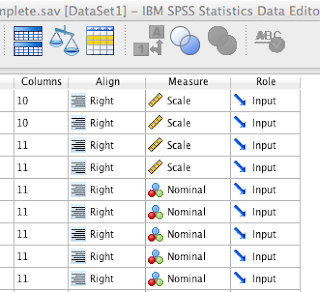
在 Retina MacBook Pro 13" 上開啟 SPSS 21 , 整個字體顯示都是糊糊的! 對於經常要跑統計的人, 這樣的螢幕顯示真的很傷眼! 所幸有這個小 app "Retinizer"。 只要用這個 app 來改造一下 SPSS, 重新開啟後,字體顯示就變成清晰的。 Retinizer 下載網頁  http://retinizer.mikelpr.com/

SPSS 16 在Vista上安裝錯誤的解決方案

圖片
最近在安裝新版的SPSS 16在Windows Vista上時, 發生了以下的錯誤: Problem Summary: Error 1320.The specified path is too long. C:\ProgramData\Application Data\SPSS 以下是我在網路上找到的解決方法 Resolution Summary: 首先要從"C:\ProgramData"目錄中移動"Application Data"這個捷徑: Remove the "Application Data" shortcut (junction) from the "C:\ProgramData" directory: 1. 點選「開始」,選擇「電腦」 Click on your Start button, select Computer 2. 點選左上角「組合管理」選單中的「資料夾和搜尋選項」 Choose the "Organize" drop-down located in the upper left-hand corner and select "Folder and Search Options" 3. 點選「檢視」的頁面,並且勾選下列選項後,再點選「確定」: Choose the "View" tab, select the following options, and click OK: 勾選「顯示所有檔案和資料夾」 select "Show hidden files and folders" 取消勾選「隱藏保護的作業系統檔案」 uncheck "Hide protected operating system files" 4. 到C碟中找出"C:\ProgramData"並找到"Application Data"捷徑 Navigate to "C:\ProgramData" and locate the "Application Data" shortcut 5. 將"Applicati...

SPSS的更新

最近在使用SPSS網站的更新服務時發現的 因為正版使用者必須要在官網註冊後才可以使用更新服務 所以當點選更新服務時 必須要輸入帳號及密碼 這時候兩者都輸入guest 時 就可以進入更新服務的網頁下載更新程式了 目前最新的更新為 SPSS 15.0.1.1 for Windows Download SPSS 15 Vista Hotfix Download SPSS 14.0.2 for Wondows Download